Keep the asset, rights, and approved version together.
Media management organizes images, video, audio, and creative files so people can find and use the correct material. Within XCORE, it connects content production with publication, storage, and the business context behind each asset.
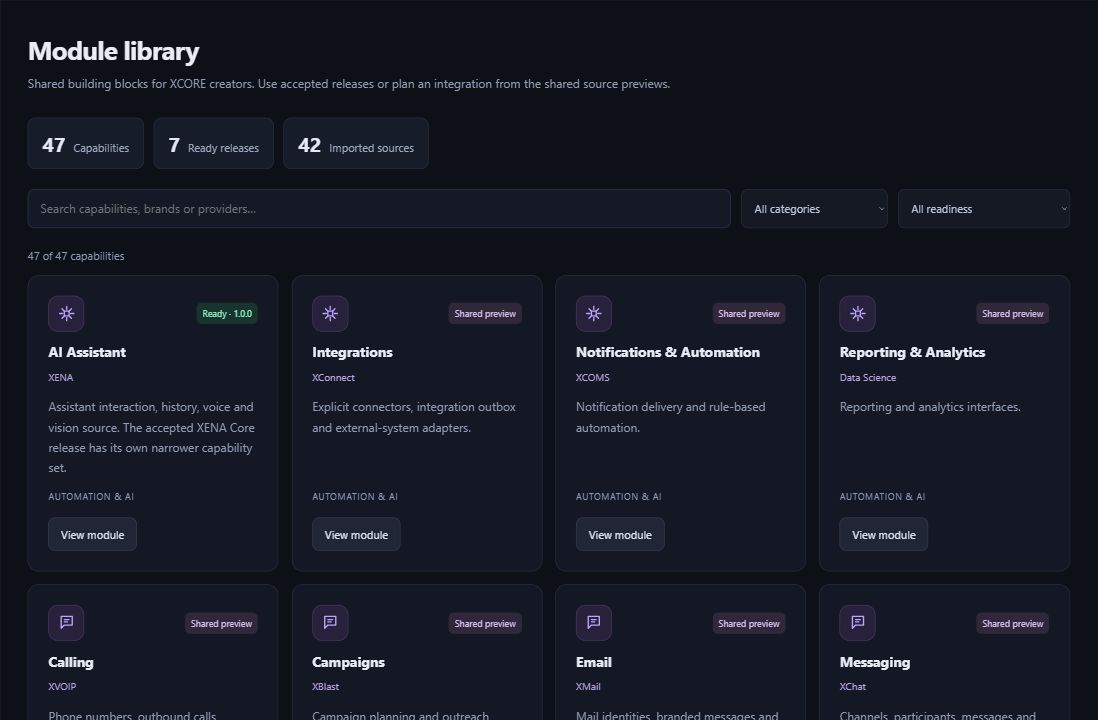
Inside the creation layer · actual XCORE module-library capture, November 2, 2026. Release labels and account permissions apply.
THE PURPOSE IN PRACTICE
Organize media with storage, metadata, distribution, and collaboration requirements.
An illustrative campaign library might record the subject, creator, rights, caption, image description, approval state, and intended channels. A working file, approved master, web-sized image, and archived version have different roles. Clear metadata helps a colleague choose the right asset without guessing from a folder name.
02
Plan access, retention, and distribution
Agree who uploads, edits, approves, publishes, and removes material. Storage, backup, search, version handling, and external distribution are separate configuration requirements. Personal or confidential images need appropriate access boundaries. This profile does not establish unlimited storage, automatic rights clearance, or a fully connected media-delivery network.
PLAN YOUR IMPLEMENTATION
Match the scope to your needs.
Choose the business tools your organization needs. Our team can confirm the app, access, connections and setup for your company before implementation.
Why keep captions and image descriptions with the asset?+
They preserve useful context for publication and accessibility. They also reduce the chance that a reused image loses its subject, credit, or explanation when it moves between a website, document, and campaign.
Is a shared folder enough for media management?+
It may be a useful starting point, but a growing library often needs agreed naming, rights, approvals, versions, search fields, and retention. The scope should reflect the actual size and use of the collection.
What is the difference between backup and archive?+
Backup supports recovery from loss or failure. An archive preserves selected material for later reference under a retention plan. Neither should be assumed to replace the other without a defined recovery and access process.
Can assets publish to several channels?+
Distribution requires the relevant accounts, formats, permissions, and tested integrations. A central library can prepare approved variants without proving that every external channel is configured for automatic publication.
THE PEOPLE’S CORPORATION
A future for people.
Personal control. Human opportunity. Stronger local economies and a voice for communities.