
XCORE / APP BUILDER

Turn a repeatable task into a focused application.

Start with the work someone needs to do, define the information it needs, and shape a practical interface around it.

UNDERSTAND THE CONNECTION

Build around a task people need to complete.

Start with a task your app should make easier. Create the information fields it needs, then build list, form and board views around them. Keep the app focused on the people who will use it.

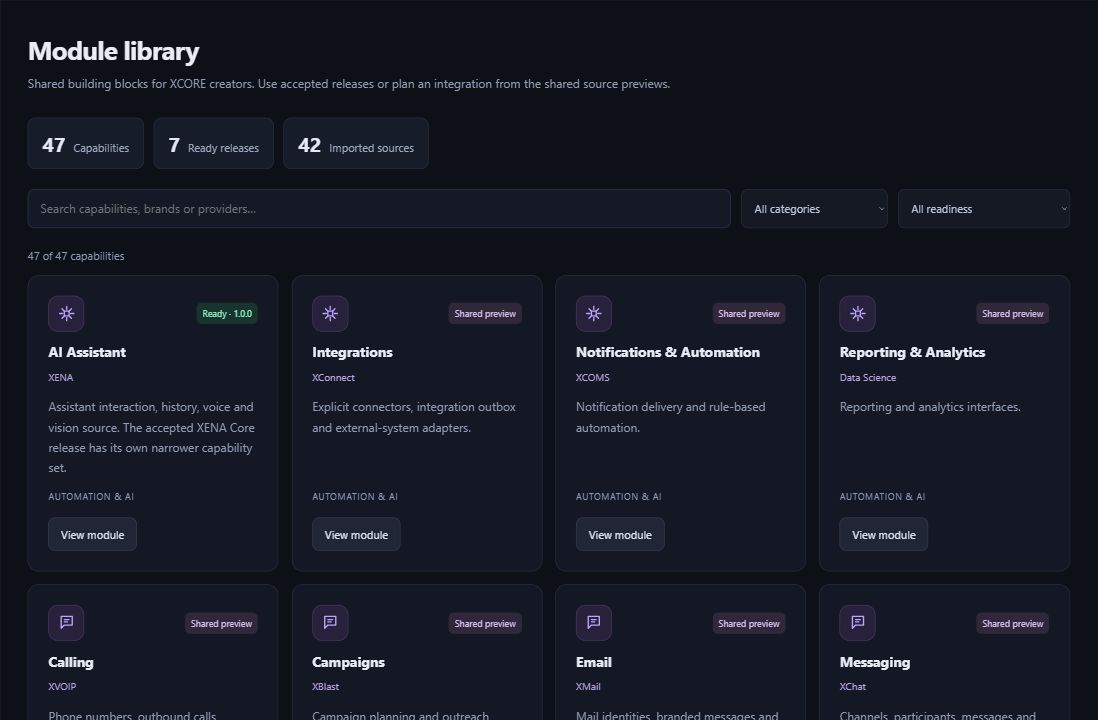
Actual XCORE Creator Studio module library showing ready releases and shared source previews.
Inside the creation layer · actual XCORE module-library capture, November 2, 2026. Release labels and account permissions apply.
THE PURPOSE IN PRACTICE

Start with the work someone needs to do, define the information it needs, and shape a practical interface around it.

The mission behind the work

A practical example

For an illustrative maintenance-request project, records might include a location, issue description, status and responsible person. A Form collects the request, a List helps review incoming work and a Board can group records by status. Before adding more features, check that users understand the fields and can find the next action.

The connection to the wider XCORE layer

Choose required fields, useful options and relationships between records, then preview the result. Exporting your app’s structure does not move business data or connect other services.

Start with the context.
Define the next step.

Tell us what you are working on, the systems you use, and what needs to improve. Together, we can identify the appropriate tools, scope, and access.

Prepare your inquiry
QUESTIONS & ANSWERS

A clearer picture.

The details that help you choose your next step.

What kinds of views can I build?

Build list, form and board views around your tables, then save and preview records. Check Creator Studio for the tools available in your workspace.

Is an app project automatically production-ready?

A saved draft helps you review your app. Before others rely on it, arrange access, check how information is handled and test the services you have connected.

Should I begin with all my business data?

Begin with a focused workflow and representative non-sensitive examples. Confirm the structure and permissions before planning operational data migration. The corporate site does not perform that migration.

Where is the actual builder?

Use the official Creator Studio at console.xglobe.app/xcore. Sign-in and creator permissions determine the available project and module actions.

THE PEOPLE’S CORPORATION

A future
for people.

Personal control. Human opportunity.
Stronger local economies and a voice for communities.

Join XGlobeExplore the mission
SEARCH THE WHOLE ECOSYSTEM Press Esc to close
FIND THE RIGHT FIT

Your products, side by side.