Creator Studio brings your app ideas into focus. Start with a task, choose the information it needs and design the screens people will use. Explore reusable tools as you build, with access controlled by your XGlobe account and workspace.
XONE CONNECTED WORLD
THE PURPOSE IN PRACTICE
The creator environment for building, configuring, connecting, and preparing applications and reusable modules.
A good brief names the person, the task and the information required. For an illustrative work-request tracker, that might mean a request title, status, responsible person and due date. A List helps scan requests, a Form collects a record and a Board groups work by status. These examples explain the method; they do not imply an installed template.
Build lists, forms and boards around your information. Organize personal projects and workspaces, save records and preview how your app works before introducing business data or connecting other services.
02
Choose the right tools for your project
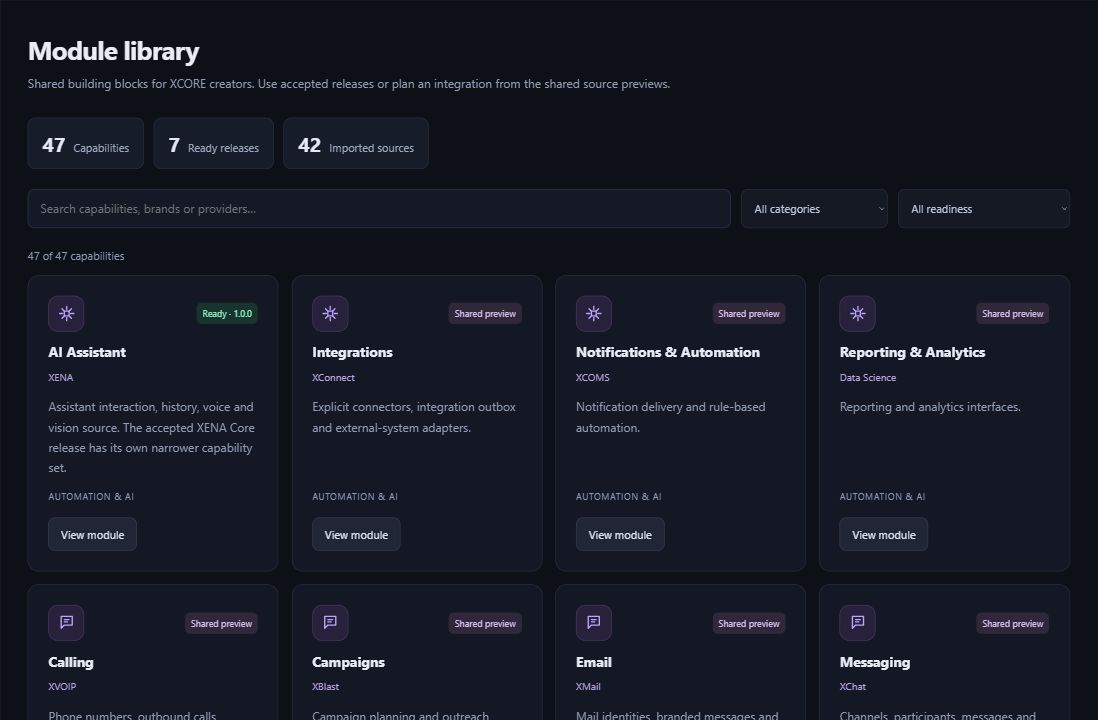
Find reusable tools in the module library. Each listing explains what is included and how to use it. Some tools include code for developers to adapt; adding a listing to your project does not automatically connect an external service.
Choose who can use your app, which information it needs and who will maintain it. You can export supported project structure and styling without private records. Check the available publishing and service connections before sharing the app more widely.
THE ACTUAL CREATOR EXPERIENCE
Apps. Modules. AI. A working place to create.
Sign in with your XGlobe account to enter Creator Studio. Your workspace controls the projects and reusable tools you can access.
Open Creator Studio at console.xglobe.app/xcore and sign in with your XGlobe account. Your workspace determines which projects and tools you can access.
Do I have to start with an entire business system?+
No. A small, well-defined task is a useful starting point. Identify the records, fields and views needed to complete it. Larger organizational deployments add requirements such as user roles, migration, external connections and operational support.
Can I use any module I see in the catalogue?+
Open the tool’s listing to see what is included, who can access it and how to add it to your project. Downloadable code may need developer setup before it can run in an app.
Does exporting include my private data?+
You can export supported app structure, page layouts and styling without private records. Check the contents before sharing an export. Moving business records or giving another person access is a separate action.
THE PEOPLE’S CORPORATION
A future for people.
Personal control. Human opportunity. Stronger local economies and a voice for communities.