
XCORE / INTEGRATIONS

Connect deliberately.

Plan the movement of information between existing systems, new applications, and the work on the ground.

UNDERSTAND THE CONNECTION

Make each connection explicit.

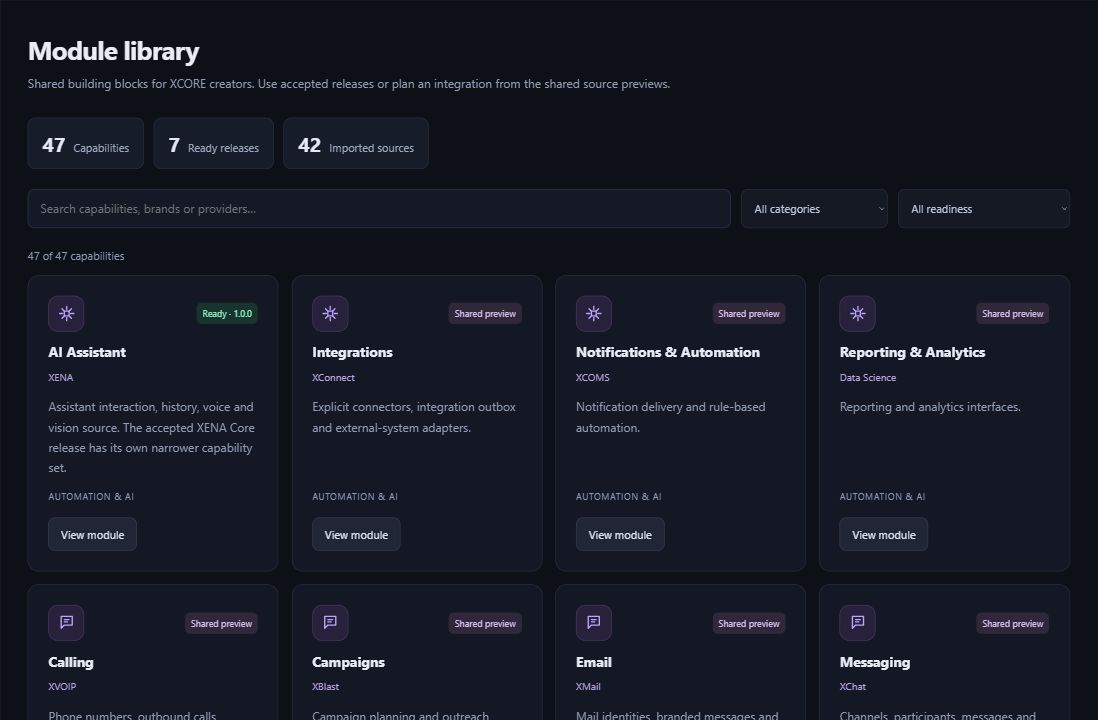
An integration connects a specific capability to the application or organization that needs it. The XCORE direction includes reusable modules, external connections and broader business orchestration, but each connection needs its own supported interface, configuration and authorization.

Actual XCORE Creator Studio module library showing ready releases and shared source previews.
Inside the creation layer · actual XCORE module-library capture, November 2, 2026. Release labels and account permissions apply.
THE PURPOSE IN PRACTICE

Plan the movement of information between existing systems, new applications, and the work on the ground.

The mission behind the work

A practical example

For an illustrative request tracker, an email notification and a customer-record lookup are two separate integrations. Each has different data, failure behavior and access requirements. Identify what triggers the connection, what leaves the application and what result the user should expect.

The connection to the wider XCORE layer

Review the tool’s setup instructions and the services you want to connect. Decide who will manage account access, match records between systems and handle failed updates. Confirm the supported connection before relying on it for business work.

THE WORK IN FOCUS

A practical place to begin.

01

Source-system assessment

Establish the current situation, the goals, and the requirements before selecting a solution.

02

Migration planning

Define the scope, responsibilities, and sequence that make this part of the work practical.

03

Integration requirements

Establish the current situation, the goals, and the requirements before selecting a solution.

04

Validation and handoff

Discuss the available tools, required access, and delivery scope for this specific part of the workflow.

Start with the context.
Define the next step.

Tell us what you are working on, the systems you use, and what needs to improve. Together, we can identify the appropriate tools, scope, and access.

Prepare your inquiry
QUESTIONS & ANSWERS

A clearer picture.

The details that help you choose your next step.

Does every XGlobe application already connect to every other one?

Each connection needs the right account access and setup. Check the tool’s supported connections or ask our team about the systems you want to bring together.

Does downloading code connect a service?

Downloading code gives a developer material to work with. Running it inside an app and connecting a service require installation, setup and the appropriate account access.

What information helps plan a connection?

Name both systems, the records and fields involved, the trigger, the intended result and who can authorize access. Explain how errors or duplicate records should be handled.

Who handles an organizational deployment?

A scoped Business Services engagement can connect requirements, implementation and adoption. Agree the actual responsibilities and supported configuration before representing the integration as operational.

THE PEOPLE’S CORPORATION

A future
for people.

Personal control. Human opportunity.
Stronger local economies and a voice for communities.

Join XGlobeExplore the mission
SEARCH THE WHOLE ECOSYSTEM Press Esc to close
FIND THE RIGHT FIT

Your products, side by side.