Connect the sale to stock and customer follow-through.
Point-of-sale workflows connect item selection, pricing, transaction status, inventory, and relevant customer context. The XCORE direction sits beside XWARE device planning, with payment-provider, hardware, and operating arrangements defined for the actual business.
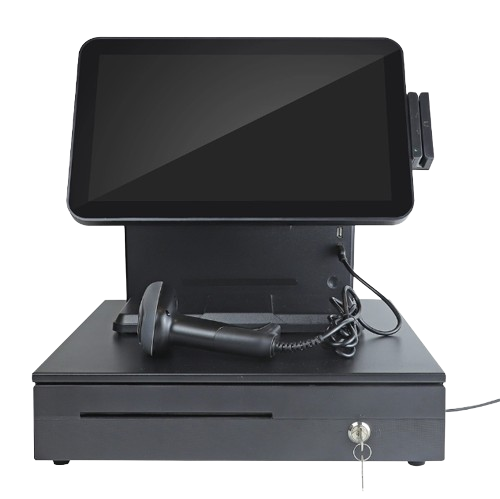
Original XWARE catalogue image · configuration and availability by inquiry.
THE PURPOSE IN PRACTICE
Define a sales workspace with inventory, loyalty, system integration, and performance reporting requirements.
An illustrative retail sale may involve item scanning, quantity review, an authorized discount, payment confirmation, a receipt, and a stock movement. Returns, canceled sales, partial completion, and disconnected devices need explicit handling. A visible checkout screen is not evidence that all downstream events completed.
02
Confirm devices and provider boundaries
Scope terminals, scanners, receipt printers, item identifiers, account permissions, payment status, and accounting or inventory integration. Loyalty features and sales analytics require their own definitions and configurations. Catalogue imagery does not establish stock, payment certification, merchant approval, or a ready-to-use installation.
WHAT THIS CONNECTS
A clearer view of the work.
01
Configurable sales interface
Understand the people, process, handoffs, and support needed to turn the business goal into consistent activity.
02
Inventory context
Organize stock records, quantities, movement, and the link between physical items and business activity.
03
Loyalty scope
Define the goals, responsibilities, and practical requirements for loyalty scope within the point of sale engagement.
04
Sales and stock analytics
Organize stock records, quantities, movement, and the link between physical items and business activity.
05
Migration and integration
Establish the required connections, configuration, access, and validation as part of the implementation scope.
PLAN YOUR IMPLEMENTATION
Match the scope to your needs.
Choose the business tools your organization needs. Our team can confirm the app, access, connections and setup for your company before implementation.
Does POS software automatically include payment processing?+
No. Payment processing requires an actual provider arrangement, merchant setup, supported equipment, and tested integration. The sale interface and the payment service are related but distinct parts of the system.
Why connect POS to inventory?+
A completed sale may change available stock, while a cancellation or return may need a different movement. The integration should define when the change occurs and how failures or duplicate events are handled.
Can existing retail hardware be reused?+
Compatibility depends on the device, interfaces, operating environment, provider requirements, and application support. Identify the model and intended workflow before assuming a scanner, printer, or terminal can be reused.
What should be checked before a rollout?+
Representative sales, cancellations, returns, receipts, stock changes, permissions, connectivity loss, and reconciliation. A pilot should use the selected provider and devices rather than rely only on a demonstration screen.
THE PEOPLE’S CORPORATION
A future for people.
Personal control. Human opportunity. Stronger local economies and a voice for communities.