UNDERSTAND THE CONNECTION

A larger portable view of the work

The X10 tablet direction offers a larger screen context for connected work, communication and information capture. A tablet can serve a different interaction need from a phone, especially when the person needs to inspect a form or document. The suitable configuration depends on the actual application and work environment.

THE PURPOSE IN PRACTICE

The X10 tablet direction connects portable work, multitasking, visual capture, and access to business applications.

The mission behind the work

Evaluate the complete interaction

An illustrative evaluation might compare reading a project record, completing a form and capturing supporting information. The larger screen is useful only if the software layout and device connection support the intended task.
What a representative trial should clarify

Try the relevant form or document at the actual screen size and orientation. Check the inputs the user needs and the handoff to the next application or person. A larger screen should improve the task’s clarity rather than simply show more of an unsuitable desktop interface.

XWARE / HARDWARE CATALOGUE

X10 Tablet

A larger canvas for portable work.

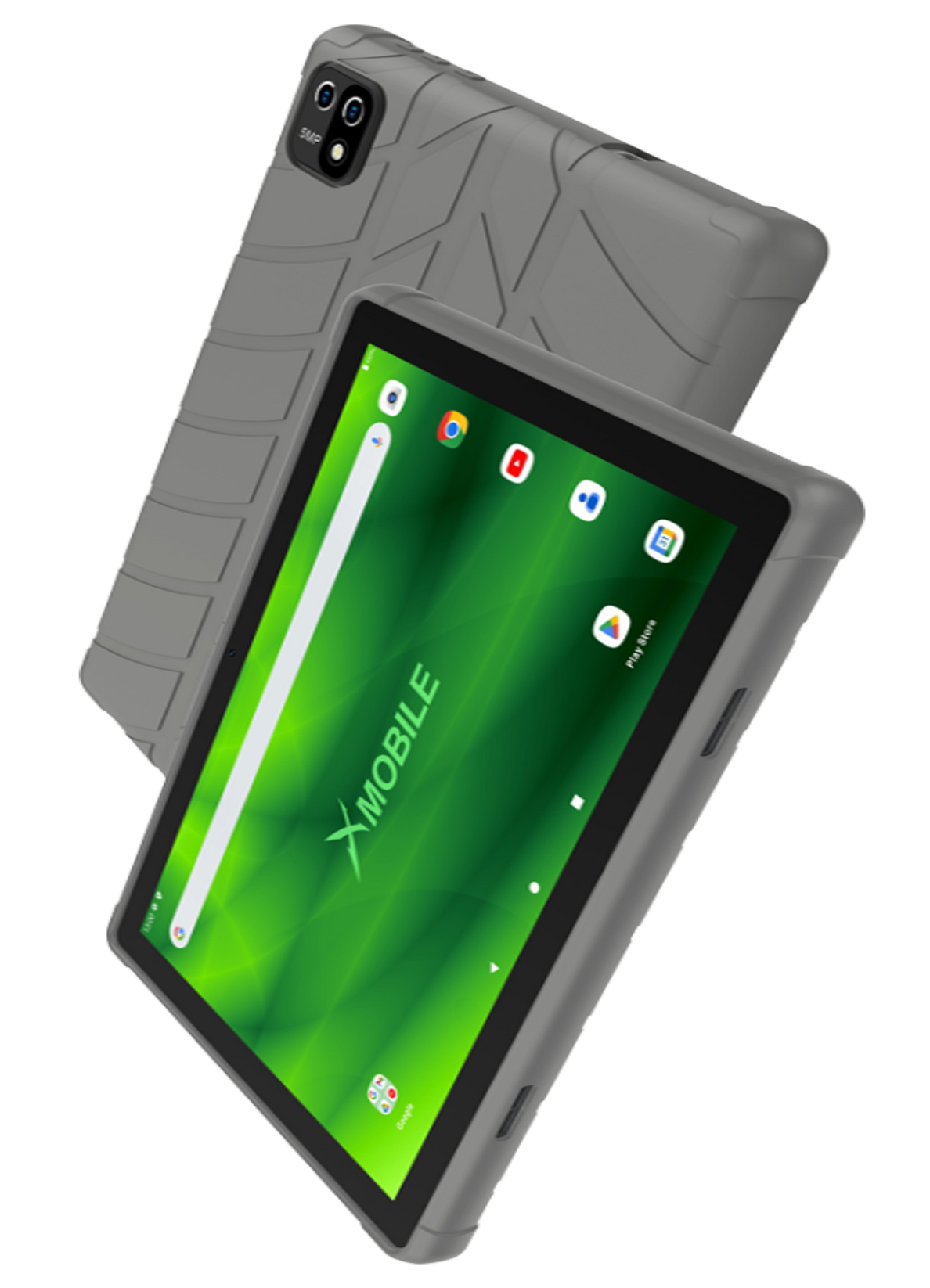
XMobile tablet shown in the original X10 catalogue artwork.
Original X10 tablet catalogue artwork · current specifications and availability by inquiry.
THE CONNECTION TO YOUR SYSTEM

Built around the work.

01

Portable business access

Plan which XCORE workflows need to be available away from a fixed workstation.

02

Performance requirements

Match processing, storage, battery, and multitasking needs to the actual workload.

03

Visual capture

Consider camera use, documentation, scanning, and the records the device needs to collect.

04

Team setup fit

Confirm the available device specifications, software compatibility, connectivity, and support before ordering.

Compatibility, availability & planning

The catalogue describes solution areas. Stock, specifications, certification, ownership, installation, and operational deployment require current confirmation.

Share the intended use, location, quantity, connectivity and software requirements so the configuration can be reviewed.

QUESTIONS & ANSWERS

A clearer picture.

The details that help you choose your next step.

Is X10 a confirmed current stock item?

Current model, configuration, availability and support need inquiry. The original catalogue presentation should not be treated as a live inventory feed.

Can a tablet replace my existing workstation?

That depends on the applications, peripherals and tasks involved. Review a representative workflow on the actual device before making a replacement decision.

How does X10 relate to XMOBILE?

X10 is a tablet direction within the wider connected-device catalogue. XMOBILE groups the mobile and tablet choices around communication, business access and field workflows.

What does the original catalogue image establish?

It shows the original XGlobe catalogue presentation. Confirm the current model, configuration, availability, software compatibility and support before ordering. A product image is not a live stock or integration guarantee.

THE PEOPLE’S CORPORATION

A future
for people.

Personal control. Human opportunity.
Stronger local economies and a voice for communities.

Join XGlobeExplore the mission
SEARCH THE WHOLE ECOSYSTEM Press Esc to close
FIND THE RIGHT FIT

Your products, side by side.