UNDERSTAND THE CONNECTION

Capture the context where the work happens

Handheld devices connect a person in the field or at a service point with the information they need to read or capture. The operating task may involve scanning, looking up an item or collecting a record. Device shape and input methods should fit that repeated activity.

THE PURPOSE IN PRACTICE

Portable tools for scanning, stock handling, field tasks, and accessing the right operational information where the work happens.

The mission behind the work

Evaluate the complete interaction

A useful trial follows a real task with a representative label, form or item. The resulting record needs to be checked in the destination system, because successful physical capture and successful software processing are separate stages.
What a representative trial should clarify

Repeated capture work should make errors understandable. Try an incomplete or incorrect input and inspect the record the receiving application creates. Staff need to know when to correct an entry and when the device is waiting for a connection, so a successful-looking action does not hide a missing record.

XWARE / HARDWARE CATALOGUE

Handheld Devices

Portable tools for scanning, stock handling, field tasks, and accessing the right operational information where the work happens.

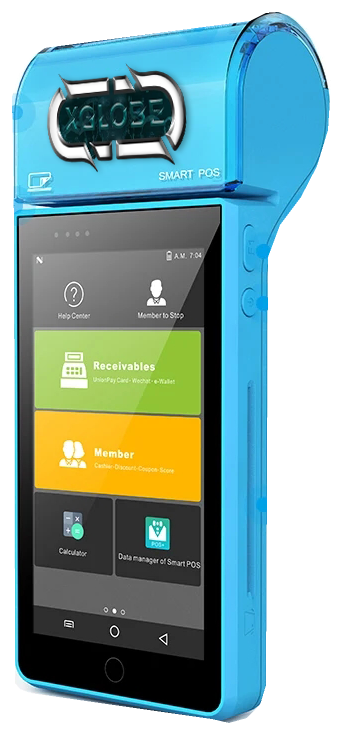
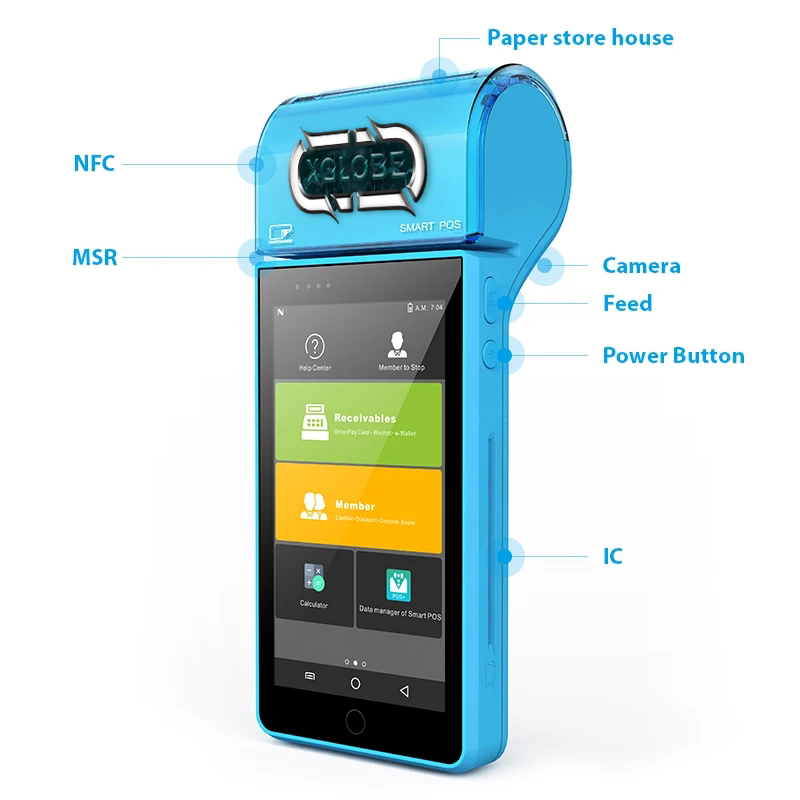
Blue handheld POS device with a touchscreen, integrated printer and original catalogue annotation markers.
Original annotated catalogue image · background removed. Configuration by inquiry.
THE CONNECTION TO YOUR SYSTEM

Built around the work.

01

Mobile capture

Discuss barcode and inventory capture at the point of work.

02

Operational access

Plan which tasks and records need to be available on a handheld device.

03

Device integration

Confirm the connectivity, software compatibility, and physical conditions of the deployment.

View original catalogue image
Blue handheld POS device with a touchscreen, printer and component labels.
Original XWARE catalogue image · configuration and availability by inquiry.
Compatibility, availability & planning

The catalogue describes solution areas. Stock, specifications, certification, ownership, installation, and operational deployment require current confirmation.

Share the intended use, location, quantity, connectivity and software requirements so the configuration can be reviewed.

QUESTIONS & ANSWERS

A clearer picture.

The details that help you choose your next step.

Is a handheld the same as an inventory scanner?

A handheld is a device category; inventory scanning is a workflow. The actual model and software determine which capture and interaction methods are supported.

Can the device work offline?

Offline capability is not established for every catalogue device. Confirm the selected model, application behavior and synchronization requirements for the intended location.

What should a handheld inquiry describe?

Include the task, input method, working environment, connection and destination application. Repeated-use conditions matter as much as the device’s appearance.

What does the original catalogue image establish?

It shows the original XGlobe catalogue presentation. Confirm the current model, configuration, availability, software compatibility and support before ordering. A product image is not a live stock or integration guarantee.

THE PEOPLE’S CORPORATION

A future
for people.

Personal control. Human opportunity.
Stronger local economies and a voice for communities.

Join XGlobeExplore the mission
SEARCH THE WHOLE ECOSYSTEM Press Esc to close
FIND THE RIGHT FIT

Your products, side by side.