UNDERSTAND THE CONNECTION

Bridge the physical event into the digital workflow

An IoT box is considered when physical equipment needs a connection to a digital system. The important relationship is between the incoming signal and what the business expects it to mean. Ports, protocols, power and network conditions determine whether the proposed bridge fits the equipment.

THE PURPOSE IN PRACTICE

Connectivity/control direction links assets, conditions, energy, inventory and security information to a central operating view.

The mission behind the work

Evaluate the complete interaction

A representative requirement starts with the device event and the record or action that should follow it. A sensor signal, a status update and a control instruction have different responsibilities and should not be treated as interchangeable.
What a representative trial should clarify

Review how an unexpected or missing event would be recognized. A physical connection that transmits a signal is only one stage; the receiving system must interpret it as intended. The responsible team should know which events are informational and which could authorize an actual action.

XWARE / HARDWARE CATALOGUE

IoT Boxes

Connectivity/control direction links assets, conditions, energy, inventory and security information to a central operating view.

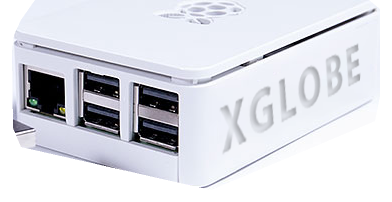
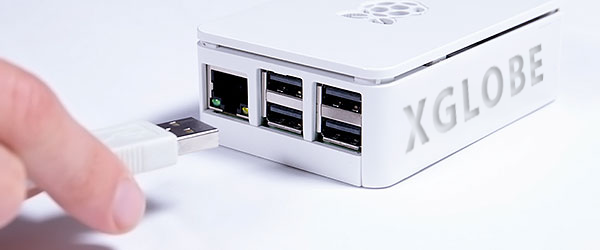
XGlobe-branded IoT device box showing its Ethernet and USB ports.
Original catalogue subject · background removed. Configuration and availability by inquiry.
THE CONNECTION TO YOUR SYSTEM

Built around the work.

01

Connect physical devices

Identify the equipment and signals that need a bridge into the digital system.

02

Translate the workflow

Plan what the incoming event means and which record or action should follow it.

03

Installation & compatibility

Confirm ports, protocols, network conditions, power, and the software connection.

View original catalogue image
Hand connecting a USB cable to an XGlobe-branded device box.
Original XWARE catalogue image · configuration and availability by inquiry.
Compatibility, availability & planning

The catalogue describes solution areas. Stock, specifications, certification, ownership, installation, and operational deployment require current confirmation.

Share the intended use, location, quantity, connectivity and software requirements so the configuration can be reviewed.

QUESTIONS & ANSWERS

A clearer picture.

The details that help you choose your next step.

Does an IoT box connect every device?

No universal compatibility is established. Identify the actual equipment, signals, ports, protocols and required software destination before selecting a bridge.

Will it automatically control machinery?

Machine controls must be designed and tested for the specific equipment and environment, with authorized operators and clear safeguards.

What should I provide for an integration review?

Describe the physical source, expected events, network and power conditions, and the records or actions required. A useful review includes the existing equipment documentation.

What does the original catalogue image establish?

It shows the original XGlobe catalogue presentation. Confirm the current model, configuration, availability, software compatibility and support before ordering. A product image is not a live stock or integration guarantee.

THE PEOPLE’S CORPORATION

A future
for people.

Personal control. Human opportunity.
Stronger local economies and a voice for communities.

Join XGlobeExplore the mission
SEARCH THE WHOLE ECOSYSTEM Press Esc to close
FIND THE RIGHT FIT

Your products, side by side.