UNDERSTAND THE CONNECTION

Match the payment interaction to the business

A payment terminal works with your payment provider, account and point-of-sale system. Confirm compatibility, processing arrangements and transaction reporting before choosing equipment.

THE PURPOSE IN PRACTICE

Transaction hardware direction includes chip, contactless and mobile wallets with sales information.

The mission behind the work

Evaluate the complete interaction

A counter sale, a mobile service visit and a different payment setting can have different requirements. Explain where the customer pays and how staff identify the related sale so the complete interaction can be reviewed.
What a representative trial should clarify

Test how a transaction result is associated with the correct sale and how staff handle an uncertain result. The business needs an agreed process for checking status before trying again. Hardware selection should support that process rather than encourage repeated payment attempts without a clear record.

XWARE / HARDWARE CATALOGUE

Payment Terminals

Transaction hardware direction includes chip, contactless and mobile wallets with sales information.

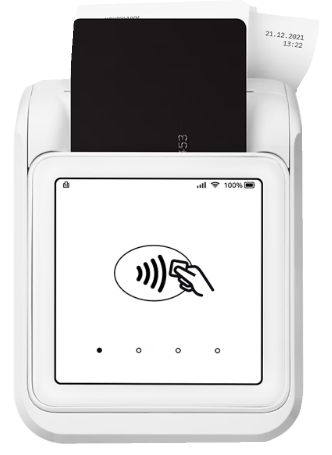
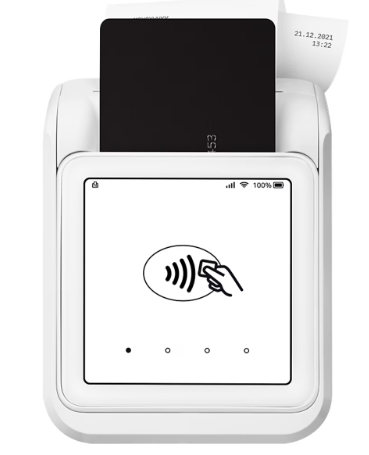
White payment terminal with a contactless-payment symbol, card and receipt.
Original catalogue subject · background removed. Configuration and availability by inquiry.
THE CONNECTION TO YOUR SYSTEM

Built around the work.

01

Payment interface

Choose the payment interaction required at the counter, on the move, or in a service setting.

02

System connection

Plan how the terminal connects to the point-of-sale and transaction records.

03

Provider configuration

Confirm the supported processor, account setup, connectivity, and current device compatibility.

View original catalogue image
White payment terminal showing a contactless-payment symbol and inserted card.
Original XWARE catalogue image · configuration and availability by inquiry.
Compatibility, availability & planning

The catalogue describes solution areas. Stock, specifications, certification, ownership, installation, and operational deployment require current confirmation.

Share the intended use, location, quantity, connectivity and software requirements so the configuration can be reviewed.

QUESTIONS & ANSWERS

A clearer picture.

The details that help you choose your next step.

Can I use any processor with a pictured terminal?

No universal processor compatibility is established. Confirm the model, provider support, account requirements and software connection for the proposed setup.

Does buying hardware activate payments?

A hardware inquiry does not activate a merchant account or financial service. Account approval and transaction configuration belong to the actual payment provider and implementation.

How should payment records connect to the sale?

Define how staff identify the sale and distinguish a successful, failed or pending transaction. Reconciliation behavior needs to be demonstrated in the actual configured system.

What does the original catalogue image establish?

It shows the original XGlobe catalogue presentation. Confirm the current model, configuration, availability, software compatibility and support before ordering. A product image is not a live stock or integration guarantee.

THE PEOPLE’S CORPORATION

A future
for people.

Personal control. Human opportunity.
Stronger local economies and a voice for communities.

Join XGlobeExplore the mission
SEARCH THE WHOLE ECOSYSTEM Press Esc to close
FIND THE RIGHT FIT

Your products, side by side.