Make content changes understandable before publication.
Settings and content customization connect administrative controls with the pages, posts, media, navigation, and notifications people actually encounter. XCORE’s profile focuses on a coherent editing and preview process rather than an assumption that every setting should be available to every user.
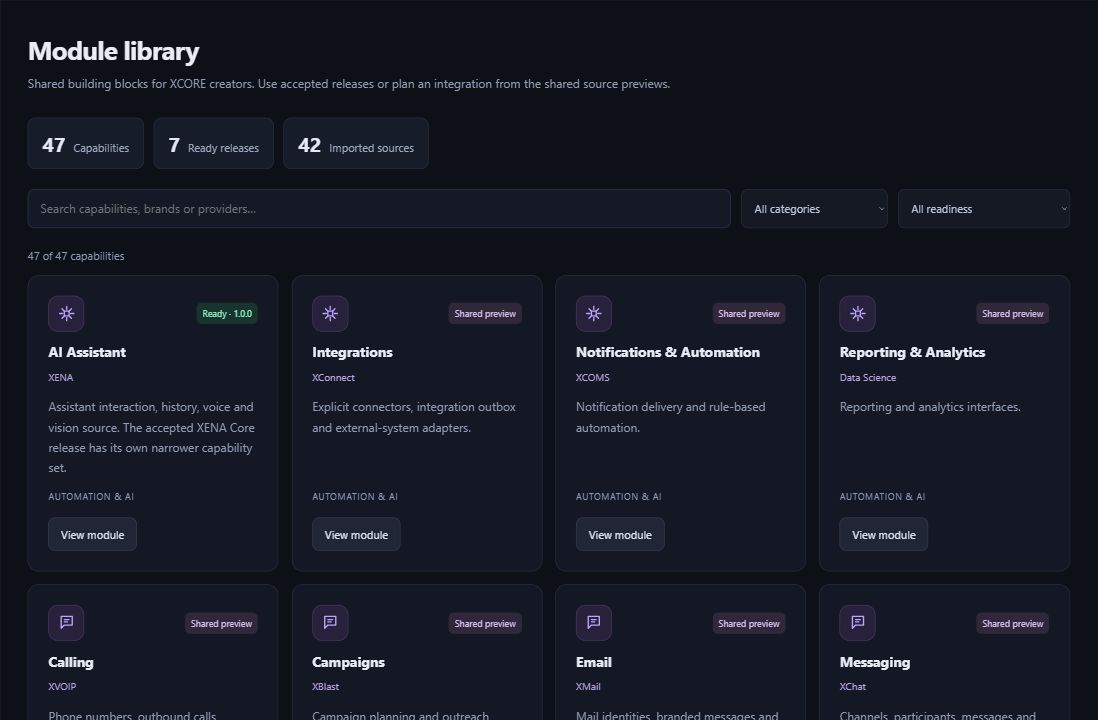
Inside the creation layer · actual XCORE module-library capture, November 2, 2026. Release labels and account permissions apply.
THE PURPOSE IN PRACTICE
Configure content-management requirements across dashboards, notifications, posts, pages, media, navigation, and preview.
An illustrative editor may update a page headline and image while a separate administrator controls domains or application-wide behavior. Those actions have different consequences. Group settings by purpose and explain which changes affect a draft, a single page, a workspace, or the entire published experience.
02
Use preview as a review step
Scope roles, approval, validation, revision history, navigation behavior, and representative mobile checks. A preview should make it clear which version is being reviewed and what publication will change. CMS dashboards, themes, and notification controls depend on the selected implementation and current permissions.
PLAN YOUR IMPLEMENTATION
Match the scope to your needs.
Choose the business tools your organization needs. Our team can confirm the app, access, connections and setup for your company before implementation.
Should content editors control every system setting?+
Only where their responsibility requires it. Editing a post and changing account-wide behavior have different risks and review needs. Role design should give people the controls they need without unrelated administrative authority.
Does saving a page publish it?+
That depends on the configured workflow. Draft, preview, approval, and public release should be clearly distinguished so an editor knows whether a change is already visible to visitors.
What should be checked in preview?+
The actual content, heading structure, images, links, navigation, forms, and small-screen layout. A visual review should also confirm that the correct version and access state are being shown.
How can settings remain understandable as a system grows?+
Use clear names, purpose-based grouping, useful explanations, appropriate defaults, and visible effects. Avoid exposing technical implementation details when the user only needs to make a meaningful content decision.
THE PEOPLE’S CORPORATION
A future for people.
Personal control. Human opportunity. Stronger local economies and a voice for communities.