Live communications connects a visitor’s question with a person, knowledge source, or support workflow. The XCORE profile covers chat, voice, video, and related interfaces as implementation choices with different privacy, staffing, and integration needs.
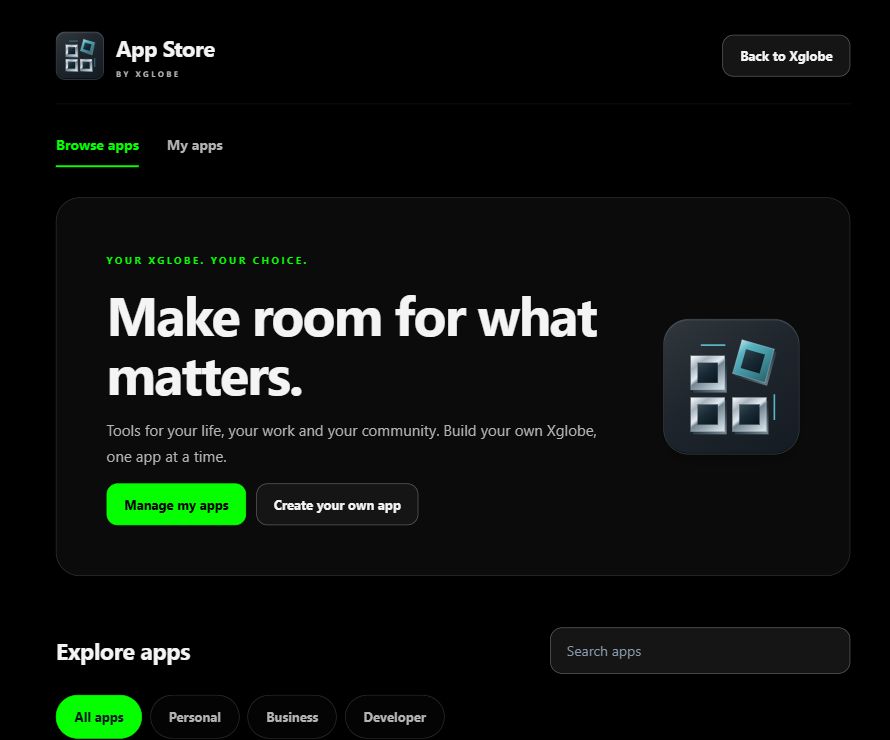
Inside the shared platform · actual App Store capture, November 2, 2026. This shows the platform catalogue, not a screenshot of every listed product.
THE PURPOSE IN PRACTICE
Plan in-app messaging and support experiences using chat, voice, video, and customer-service integrations.
An illustrative service journey starts with a question, identifies the relevant product, and determines whether an automated answer is enough or a person should respond. A useful handoff preserves agreed context without asking the visitor to repeat everything, and tells them what will happen when staff are unavailable.
02
Choose channels that the team can support
Confirm operating hours, message ownership, moderation, browser support, retention, and which customer records may be accessed. Voice or video should be optional and clearly initiated by the visitor. XENA on this website offers conversation and visitor-controlled media support, but that does not establish a deployed contact-center integration for every business application.
PLAN YOUR IMPLEMENTATION
Match the scope to your needs.
Choose the business tools your organization needs. Our team can confirm the app, access, connections and setup for your company before implementation.
No. A conversation may begin with an automated guide, an asynchronous inbox, or a staffed service. The interface should explain which experience is available and how a visitor can reach the appropriate human contact.
Can visitors use voice or screen sharing with XENA?+
On the corporate website, XENA supports optional microphone conversation and visitor-selected camera or screen frames. The visitor initiates sharing. This support experience does not grant XENA remote device control or unrestricted access to private application records.
What needs to connect to a CRM?+
Define the customer identifier, conversation summary, permitted fields, owner, and follow-up action. A CRM connection should carry only the context needed for the task, with the relevant account and record permissions.
What should happen outside support hours?+
State what is available, collect only appropriate contact context, and explain the next step honestly. An automated reply should not claim that a human ticket or escalation has been created unless the configured system actually did so.
THE PEOPLE’S CORPORATION
A future for people.
Personal control. Human opportunity. Stronger local economies and a voice for communities.