
XCORE / WORKSPACES

Give every team a working home.

Keep related tools and projects organized around the people and organizations using them.

UNDERSTAND THE CONNECTION

Give related projects a useful context.

Keep your app projects organized in personal workspace groups. When a project becomes a team tool, plan who can edit it, who can use it and which business records they can access.

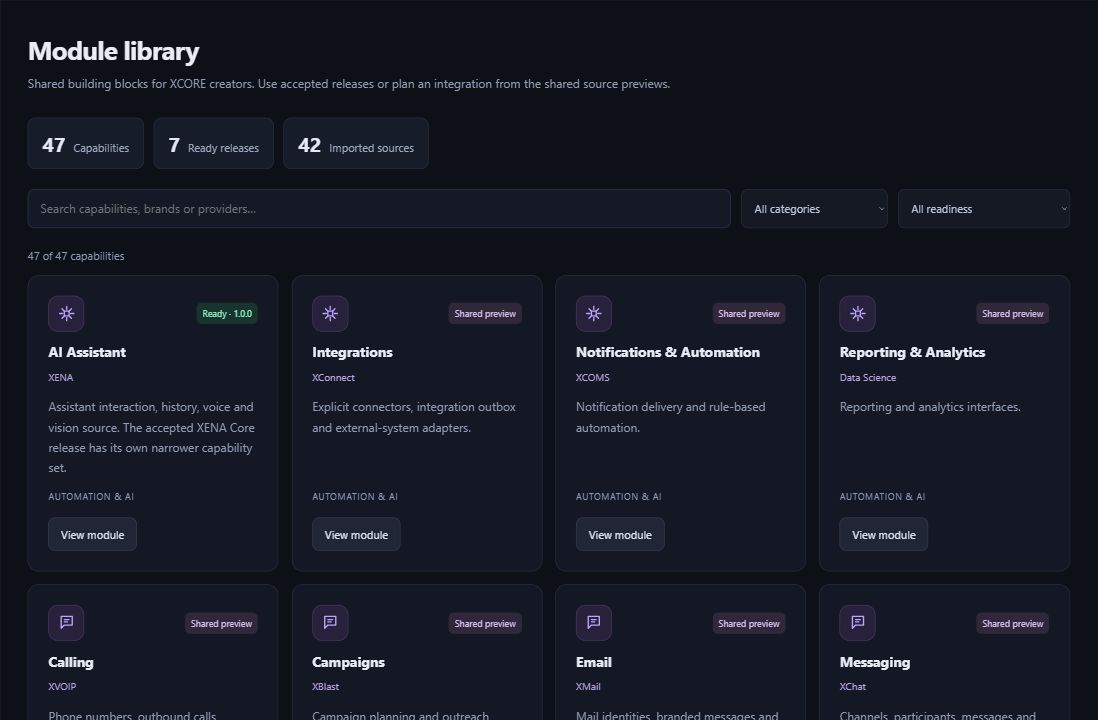
Actual XCORE Creator Studio module library showing ready releases and shared source previews.
Inside the creation layer · actual XCORE module-library capture, November 2, 2026. Release labels and account permissions apply.
THE PURPOSE IN PRACTICE

Keep related tools and projects organized around the people and organizations using them.

The mission behind the work

A practical example

A creator might group a request tracker and an associated reporting experiment together while keeping an unrelated personal project elsewhere. The grouping helps the creator return to the right work. Any shared module, external data source or additional user still needs an appropriate access path.

The connection to the wider XCORE layer

Choose who owns the project, who can make changes and who will use the finished app. Set up access to the app and its services deliberately; creating a workspace group does not automatically share business records.

Start with the context.
Define the next step.

Tell us what you are working on, the systems you use, and what needs to improve. Together, we can identify the appropriate tools, scope, and access.

Prepare your inquiry
QUESTIONS & ANSWERS

A clearer picture.

The details that help you choose your next step.

Are personal workspaces organization provisioning?

Personal workspace groups organize your creator projects. Team membership and access to business information need their own setup.

Does grouping projects share their data?

A group describes organization, not universal data authorization. Actual sharing and application access depend on supported permissions and connections. Confirm the behavior of the specific experience before using private records.

What should a team agree before using a project?

Agree the project owner, change responsibilities, intended users, release process and data requirements. The actual account and workspace configuration must support those arrangements.

Where do I manage my creator projects?

Use the official Creator Studio entry with the relevant account. Available projects and actions depend on creator and workspace permissions.

THE PEOPLE’S CORPORATION

A future
for people.

Personal control. Human opportunity.
Stronger local economies and a voice for communities.

Join XGlobeExplore the mission
SEARCH THE WHOLE ECOSYSTEM Press Esc to close
FIND THE RIGHT FIT

Your products, side by side.