
XCORE / DATA & INTELLIGENCE

Make information useful.

Organize operational information so teams can find records, understand progress, and make better decisions.

UNDERSTAND THE CONNECTION

Make the meaning of the information clear.

Data work connects the way people describe a task with the way a system stores and interprets its records. Within XCORE, typed tables support creator projects, while the wider Business Systems direction addresses querying, dashboards, connections and information management for organizations.

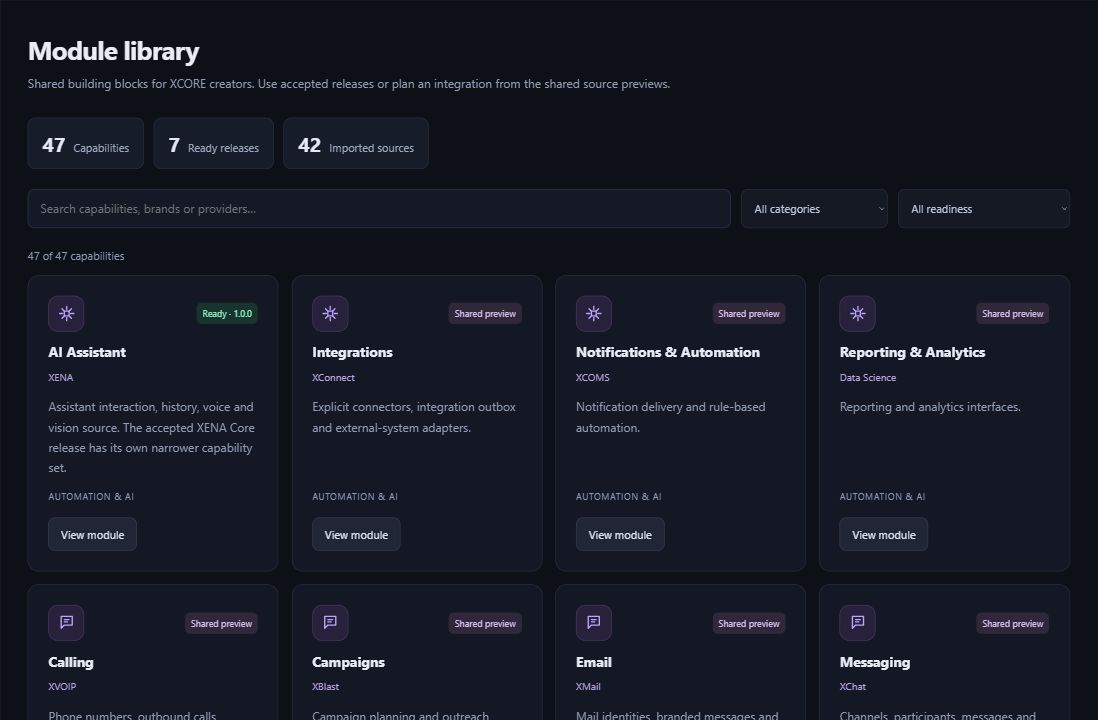
Actual XCORE Creator Studio module library showing ready releases and shared source previews.
Inside the creation layer · actual XCORE module-library capture, November 2, 2026. Release labels and account permissions apply.
THE PURPOSE IN PRACTICE

Organize operational information so teams can find records, understand progress, and make better decisions.

The mission behind the work

A practical example

An illustrative project dashboard might distinguish open requests from completed work. That requires an agreed status definition and a reliable source record before any chart is useful. Identify the owner of each measure and how corrections will flow back to the source, rather than treating a visual as proof the underlying information is accurate.

The connection to the wider XCORE layer

Design the fields and relationships your app needs, then plan how it will connect to your business systems. Consider update timing, access controls, reporting and ongoing support.

Start with the context.
Define the next step.

Tell us what you are working on, the systems you use, and what needs to improve. Together, we can identify the appropriate tools, scope, and access.

Prepare your inquiry
QUESTIONS & ANSWERS

A clearer picture.

The details that help you choose your next step.

Is every analytics capability active in Creator Studio?

Creator Studio helps you design apps and information. Business data tools and external connections need the appropriate setup and access for your organization.

What should I define before building a report?

Name the decision, the measure, the authoritative records and the person responsible for their meaning. Clarify time periods and status definitions so different users interpret the result consistently.

Does a dashboard grant access to all records?

No. Access should follow the source and implementation permissions. A connected report requires an authorized purpose and supported data connection; the public corporate site cannot grant that access.

Where can I explore more data tools?

The Data Science & Intelligence catalogue covers querying, exploration, dashboards, connections, models and access considerations within the Business Systems direction.

THE PEOPLE’S CORPORATION

A future
for people.

Personal control. Human opportunity.
Stronger local economies and a voice for communities.

Join XGlobeExplore the mission
SEARCH THE WHOLE ECOSYSTEM Press Esc to close
FIND THE RIGHT FIT

Your products, side by side.